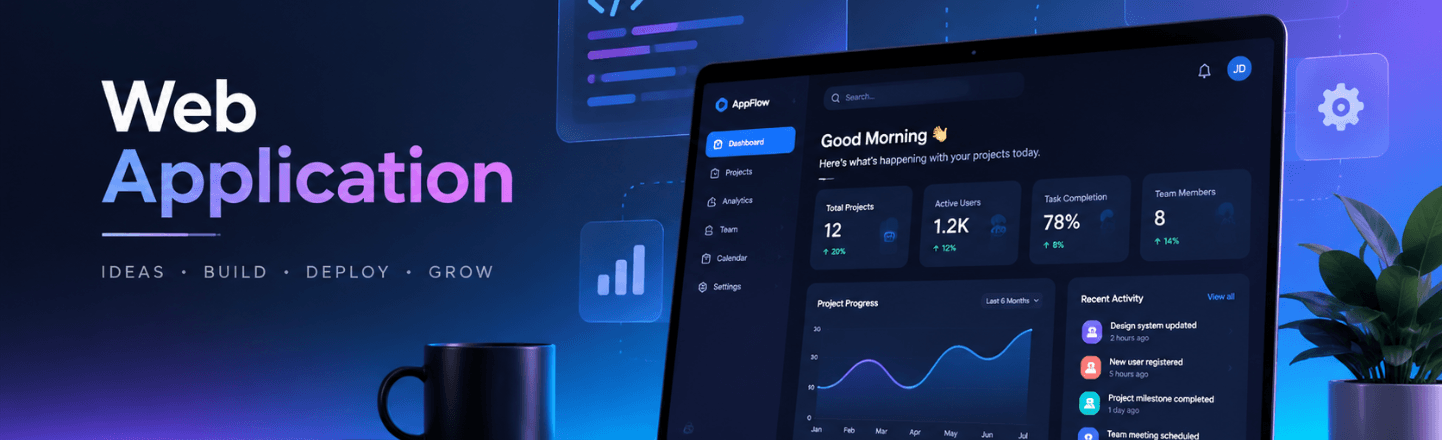
Think about the last time you paid a bill, booked an appointment, or tracked a package without talking to anyone. You probably did it in a web browser, on a page that felt like a real app. That is web application development at work, and it quietly runs a huge part of modern business.
If you are planning a customer portal, a SaaS product, or an internal tool, you face a lot of choices. Which technology fits? How long will it take? What will make users enjoy it instead of avoid it? Getting these answers wrong is expensive, and getting them right can change how your company operates.
At Software Solutions Inc., our team designs and builds web applications for startups, growing companies, and enterprises. This guide explains the process in plain language, based on how we plan and deliver real projects. By the end, you will know what to ask, what to expect, and how to avoid the mistakes we see most often.
Quick answer: Web application development is the process of designing, building, testing, and maintaining software that runs in a web browser. Unlike a simple website, a web app lets users log in, enter data, and complete tasks. Typical examples include customer portals, SaaS platforms, booking systems, and internal business tools.
What Is Web Application Development?
A website mostly shows information. A web application lets people do things. You read a company blog on a website, but you manage your account, upload documents, and pay invoices inside a web app.
Behind that experience, three layers work together. The front end is what users see and click. The back end holds the business rules and talks to the database. The database stores everything, from user profiles to orders.
Good web application development connects these layers so they feel like one smooth product. Users should never think about servers or code. They should simply get their task done quickly and go on with their day.
Types of Web Applications Businesses Build
Web apps come in many shapes. Here are the ones we see most often, and the problems they solve.
- Customer portals. Self service platforms where customers manage accounts, payments, and requests without calling support.
- SaaS platforms. Subscription products that many customers use at the same time, each with their own data.
- Internal business tools. Systems that replace scattered spreadsheets with one easy to use platform.
- Marketplaces and booking systems. Platforms that connect buyers with sellers or customers with services.
- Dashboards and reporting tools. Screens that turn raw data into clear numbers your team can act on.
Many companies start with an internal tool, because the users are known and the risk is low. Then they grow it into something customers can use. That path works well when the early design is flexible.
Why Choose a Web App Instead of Other Options
Web apps have real advantages. Users do not need to download anything, and updates reach everyone the moment you release them. One codebase works on Windows, Mac, Linux, tablets, and phones.
They also cost less to maintain than several separate native apps. A single team can ship improvements every two weeks and see results almost right away. For many business needs, that speed matters more than anything else.
Now, web apps are not perfect for every case. If you need deep phone features, such as advanced camera control or offline sensors, a native app may fit better. Our mobile app development team can help you compare both paths honestly before you commit.
The Web Application Development Process, Step by Step
A clear process protects your budget and your sanity. Here is how we run projects, from first idea to long term support.
- Discovery and planning. We learn your goals, map your users and systems, and give you a clear scope and estimate before any code is written.
- Design and architecture. We plan a solid technical foundation and design clickable screens you can test and approve.
- Agile development. We build in two week sprints, so you see working software regularly and can change priorities as you go.
- Testing and security. Every release goes through automated testing, manual testing, and security checks.
- Launch and support. We deploy your app, monitor it, and keep improving it with a support plan that fits your needs.
Notice that testing runs through the whole project, not just the end. Bugs found early cost a fraction of bugs found by customers.
Choosing the Right Technology
Technology should follow your goals, not the other way around. We choose tools based on what a project needs, not habit. Still, it helps to know the common options.
Front end tools
React and Next.js are popular for fast, interactive interfaces. Next.js adds server rendering, which helps pages load quickly and helps search engines read them. Angular is a strong choice for large enterprise apps with many screens and strict structure.
Back end tools
Node.js works well for real time features and APIs. Python is a favorite when your app includes data work or AI. .NET and Java are trusted choices in large organizations with existing systems in those languages.
Databases and hosting
PostgreSQL is a reliable choice for structured business data. MongoDB fits data that changes shape often. For hosting, AWS, Microsoft Azure, and Google Cloud all work well, and our cloud and DevOps services can set up environments that grow with you.
Architecture Choices That Shape Your App
Architecture sounds technical, but the idea is simple. It is the blueprint that decides how your app is organized, and it affects speed, cost, and how easily you can grow.
Most new projects do well with a modular monolith. That means one application, split into clear parts, that is easy to build and test. It keeps early costs low and lets a small team move fast.
Microservices break the app into many small services that run on their own. They help very large teams and very high traffic, but they also add complexity and running costs. We only recommend them when the size of the product truly needs them. Starting simple and splitting later is usually the smarter path.
Integrations and APIs
Very few web apps live alone. Yours will probably connect to payments, email, a CRM, an accounting tool, or an older internal database. Each connection runs through an API, which is a set of rules that lets two systems talk.
Plan integrations early, because they often take longer than screens do. Well documented tools are quick to link. Old systems with poor documentation need careful testing. A good team will list every connection in the estimate, so nothing surprises you halfway through.
Progressive Web Apps: A Middle Path
A progressive web app, or PWA, is a web app that behaves a lot like a phone app. Users can add it to their home screen, get notifications, and use parts of it offline. There is nothing to download from an app store.
PWAs suit teams that want a mobile feel without building separate iOS and Android apps. They will not match every native feature, but they cover many business needs at lower cost. If you are unsure, ask your development partner to compare a PWA with a full native build for your exact case.
Performance: Why Speed Wins Users
Speed is not a luxury. Slow pages frustrate users, and frustrated users leave. Google measures page experience through Core Web Vitals, which track how fast the main content loads, how quickly the page responds to input, and how stable the layout stays.
Google's published targets are a Largest Contentful Paint under 2.5 seconds, an Interaction to Next Paint under 200 milliseconds, and a Cumulative Layout Shift under 0.1. Meeting them helps both your users and your search visibility.
You can improve speed in simple ways. Compress images, load only the code a page needs, cache data that does not change often, and choose hosting close to your users. Measure early, and measure again after every major release.
Security Built In From Day One
A web app holds customer data, so security cannot be an afterthought. The OWASP Top 10 lists the most common web security risks, including broken access control, injection attacks, and weak authentication. Every serious team should design against that list.
Here is what strong security looks like in practice. Role based access means people only see what they need. Encryption protects data in transit and at rest. Regular security testing catches problems before customers do.
We sign NDAs before discovery, limit access to only the people who need it, and run security testing before every release. If you work in finance or healthcare, we also plan for rules such as PCI DSS and HIPAA from the start.
Testing and Quality Assurance
Testing is where good web apps separate from average ones. A single bug in a checkout flow or a login screen can cost you customers, and you may never hear why they left.
Strong teams test in layers. Automated tests check that existing features still work every time the code changes. Manual testing catches the odd, human problems that scripts miss, such as a confusing button label or a form that breaks on a small phone. Performance tests show how the app behaves when many people use it at once.
We use AI tools to speed up repetitive tasks like testing and code review. Experienced engineers still lead every important decision and every release. That mix gives you faster feedback without giving up human judgment.
Ask your vendor for a simple report after each sprint. It should show what was tested, what failed, and what was fixed. Clear reporting builds trust, and it gives you an early warning if quality starts to slip.
Features That Make Users Stay
A working app is not the same as an app people enjoy. Small details decide whether users come back. Here are the features that matter most.
- Fast, simple sign in. Offer password reset, and consider single sign on for business users.
- Clear navigation. People should find the main task within seconds.
- Mobile friendly design. Many users will open your app on a phone, so it must work well on small screens.
- Helpful notifications. Email and in app alerts keep users informed without nagging them.
- Accessibility. Good contrast, keyboard support, and clear labels help every user, including people with disabilities.
Test these with real users early. A clickable prototype costs little and can save weeks of rework. Even five short sessions with real customers will reveal problems that no internal meeting ever finds, and each fix is far cheaper before development begins.
How Much Does Web Application Development Cost?
The honest answer is that it depends. Cost is shaped by the number of features, design depth, integrations, security needs, and timeline. A small internal tool costs far less than a SaaS platform with billing and admin controls.
The best way to control cost is to start with a minimum viable product. Launch the core features, learn from real users, and expand in phases. This approach also lowers risk, because you spend money on features people actually want.
Ask any vendor for a detailed written estimate before work starts. At Software Solutions Inc., you get one after a free discovery call, and you own all the source code, designs, and documentation with no lock in.
Common Mistakes to Avoid
We have seen the same problems many times. Most are easy to avoid once you know about them.
The first mistake is building too much at once. Teams pack every idea into version one, and the launch slips by months. Focus on the one task your users care about most.
The second is ignoring existing systems. Your app probably needs to talk to a CRM, an accounting tool, or an older database. Plan those integrations early, because they often take longer than the screens do.
The third is skipping post launch support. Software needs monitoring, updates, and improvements. Without a support plan, small bugs pile up and security patches get missed.
How to Choose a Web Development Partner
The right partner makes the work feel simple. Look for a team that asks questions before it quotes a price, and explains its choices in plain language. Ask who will actually do the work, and whether you get direct access to engineers.
Check ownership terms carefully. You should own your code, designs, and documentation. Look for clear pricing, regular progress updates, and a dedicated project manager.
Also look at proof. Ask to see examples of similar work, and read the case studies a company publishes. Strong partners are happy to talk about what went well and what they learned.
Build a Web App Your Users Will Love
Web application development rewards careful planning. Know your users, start with the core task, choose tools that fit, and build security in from the first sprint. Do that, and you end up with software people actually enjoy using.
Ready to talk about your idea? Contact Software Solutions Inc. for a free consultation. An expert will reply within one business day with next steps and an honest estimate. You can also explore all our software development services to see how we can support your whole roadmap.
Frequently Asked Questions
Web application development is the process of designing, building, testing, and maintaining software that runs in a web browser. Users can log in, enter data, and complete tasks. Examples include customer portals, SaaS platforms, and booking systems.
A website mainly shares information, such as a company blog. A web application lets users interact, sign in, and perform tasks, such as paying bills or managing orders. Web apps usually include a back end and a database.
A minimum viable product usually takes a few months. Larger platforms with many integrations take longer. Working in two week sprints means you see real, working software from the first month.
There is no single best choice. React, Next.js, Angular, Node.js, Python, and .NET are all strong options. The right stack depends on your goals, your team, your existing systems, and your growth plans.
They can be very secure when built with care. Strong teams follow the OWASP Top 10, use role based access, encrypt data, and test security before every release. Ongoing updates keep protection current.
Yes. Good architecture makes it easy to add features in phases. Many clients keep working with us after launch for monitoring, bug fixes, security updates, and new features.